Tutorials
How to Convert Notion Pages to PDF (Without Breaking Page Formatting)
A step-by-step guide on how to automate Notion page to PDF conversion using PDFOutput without breaking formatting
By Sanat Biswal · 2026-07-01 · 9 min read

Converting a Notion page to PDF sounds pretty simple — but that's not the case until you actually try it.
Notion is a great tool for managing day-to-day business affairs, but its native export to PDF often breaks formatting.
Common issues include:
- Fonts rendering inconsistently
- Page breaks landing in awkward places
- Images scaling unpredictably
- Tables overflowing across pages
- Invoices and receipts — Auto-fill the client name, amount, and date from a database record into a polished, consistent invoice across all records.
- Contracts and proposals — Generate client-ready contracts and proposal documents without manually copy-pasting database properties one by one.
- Reports and certificates — Turn recurring entries (weekly reports, completion certificates, etc.) into PDFs without reformatting each one manually.
- Documentation and notes — Export clean, shareable PDFs of internal documents without worrying about Notion's export quirks.
- The database needs pages with actual content. If a page is empty, no PDF will be generated for it.
- Content can be structured two ways: - As a template — for repeatable documents like invoices, contracts, or proposals.
- Select the record you want converted to a PDF.
- Mark it as "Generate Page."
- Add new records to your database
- Fill in the content or placeholder values
- Generate PDFs on demand
- Avoid deeply nested toggles or columns — These tend to render unpredictably in the generated PDF.
- Keep an eye on image sizing — Oversized images can push content awkwardly across page breaks.
- Keep tables within a reasonable column count — Wide tables are the most common cause of overflow or cut-off content.
- Test with one record before activating at scale — Confirm that placeholders are pulling in correctly before generating PDFs for the entire database.
- Use the preview option before setting up automation — This helps you understand how the automation will generate PDFs once it's live.
Generating one document this way can be annoying, and when it's repeated for multiple documents, it becomes a huge bottleneck — fixing each page one by one.
Today, we are solving this problem. We will walk through the step-by-step process of setting up an automation using PDFOutput that generates PDFs directly from a Notion database, pulling values straight from the records that exist, without formatting each export manually.
Why Automate Notion Pages to PDFs
Before we begin setting up the automation, let's understand how it can be helpful:
In all of these cases, the goal isn't just to export as a PDF — it's exporting reliably every time, the same way, without needing to re-check the alignment of the page with every export generated.
How to Set Up Automation to Convert Notion Pages to PDFs
1. Create a PDFOutput Account
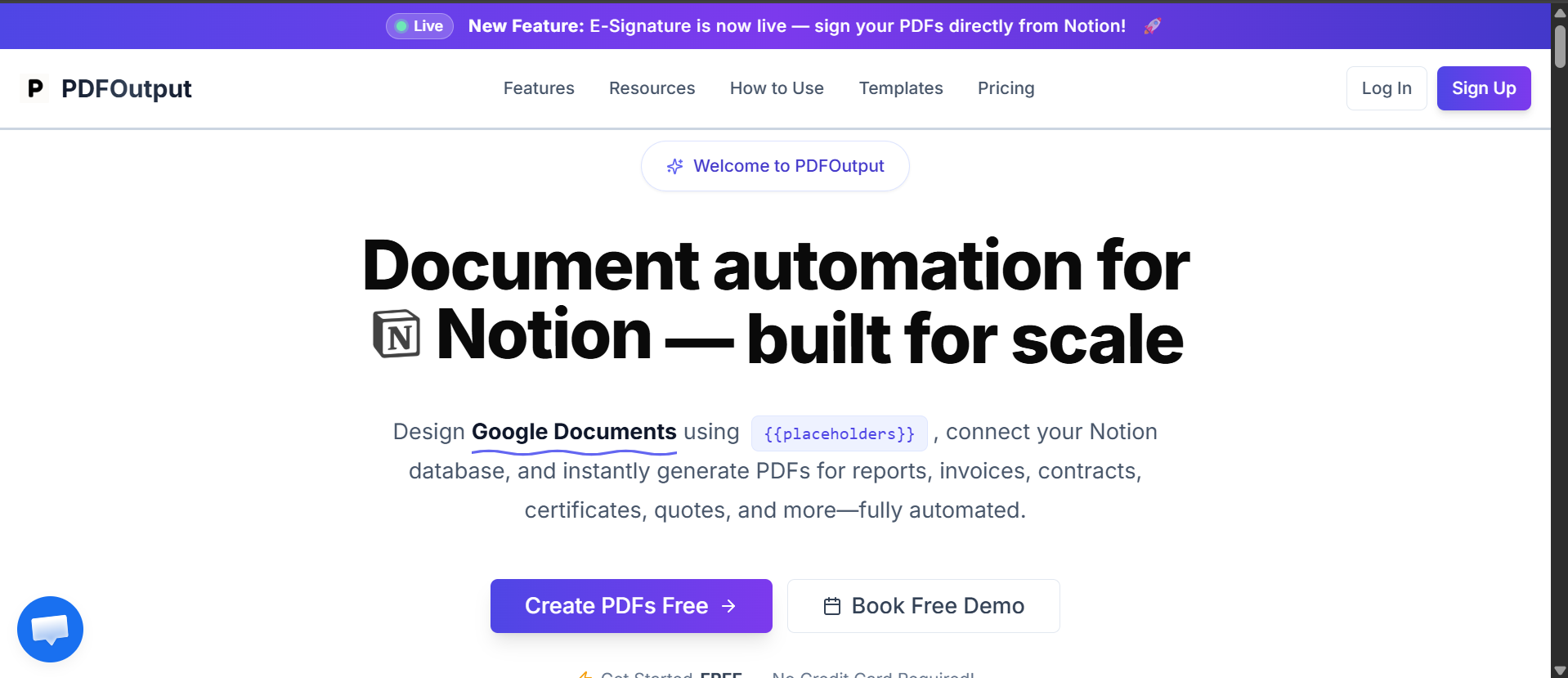
The first step is creating an account in PDFOutput.
Head over to pdfoutput.com, click Sign In, and create an account. Once that's done, you're ready to start generating PDFs from your Notion pages.
2. Create a New Automation
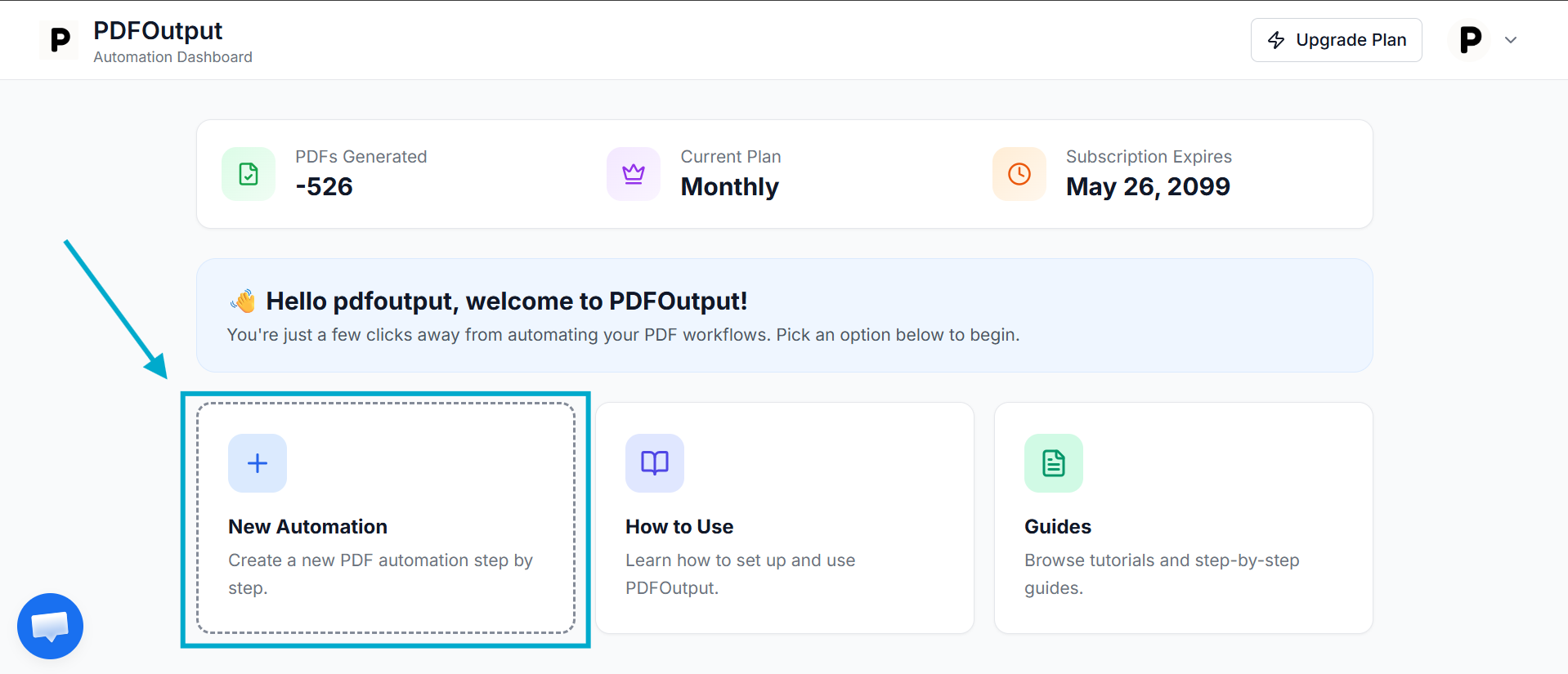
Click New Automation to get started.
This will prompt you to connect your Notion database.
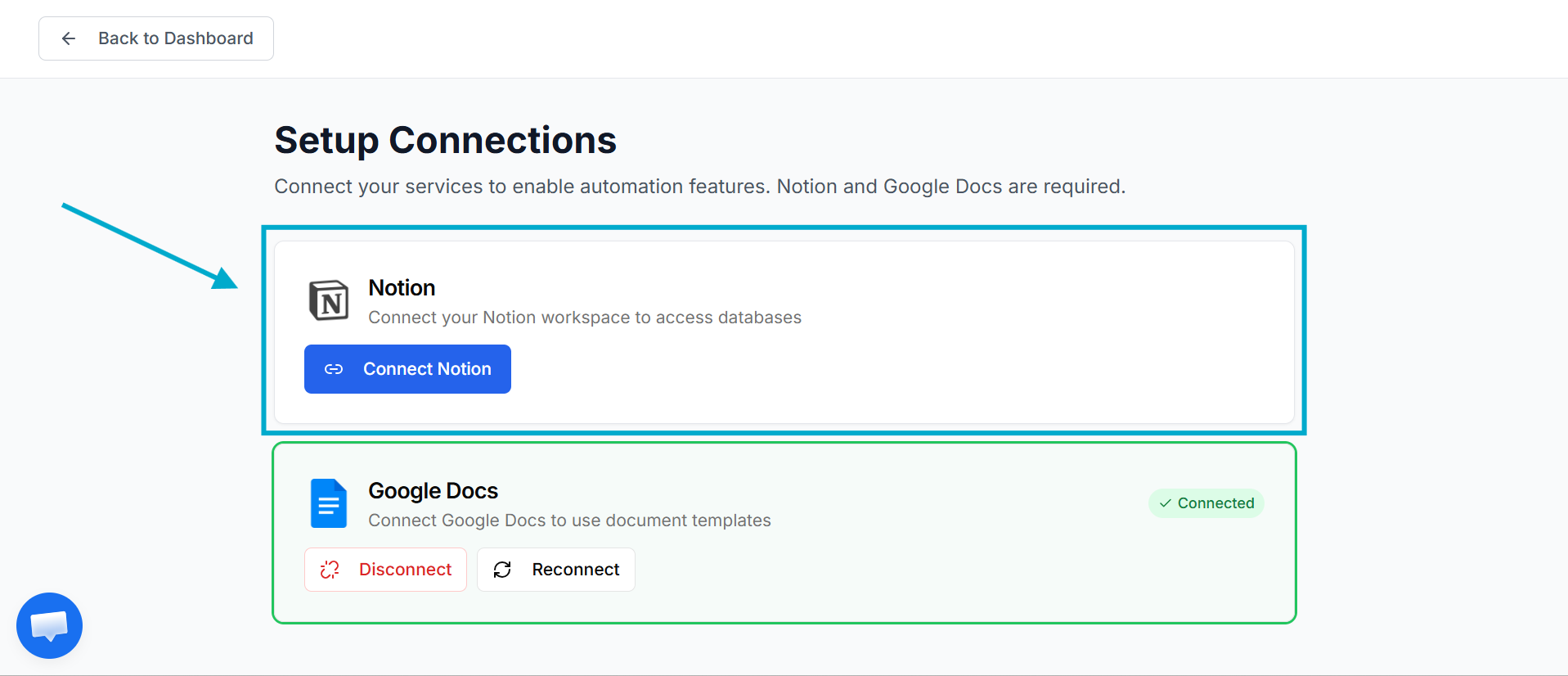
Click Connect Notion, then select the database containing the pages you want to convert to PDFs — in this example, a database called Test_Database.
Click Select pages to choose which pages to connect PDFOutput with.
.png)
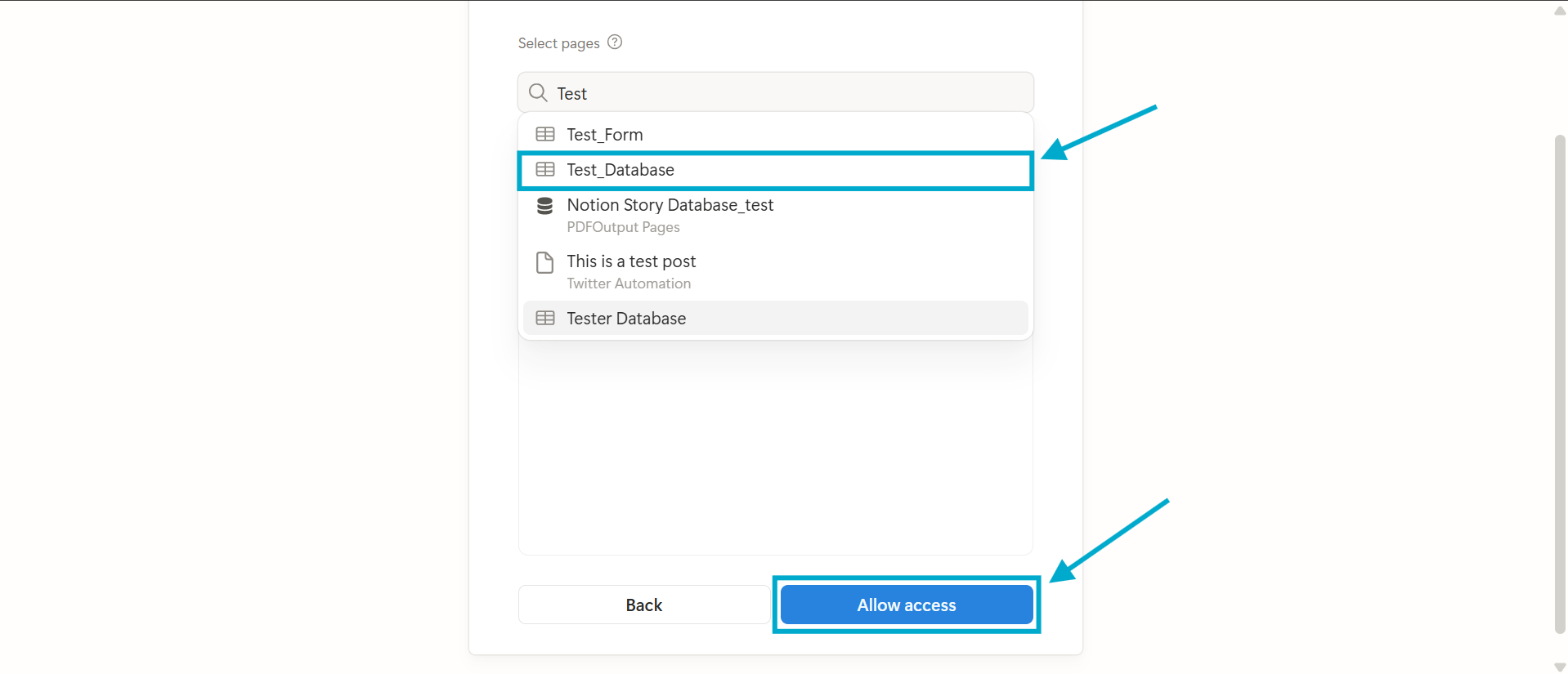
Once selected, click Allow Access to give PDFOutput permission to read from that database.
3. Connect the Notion Database
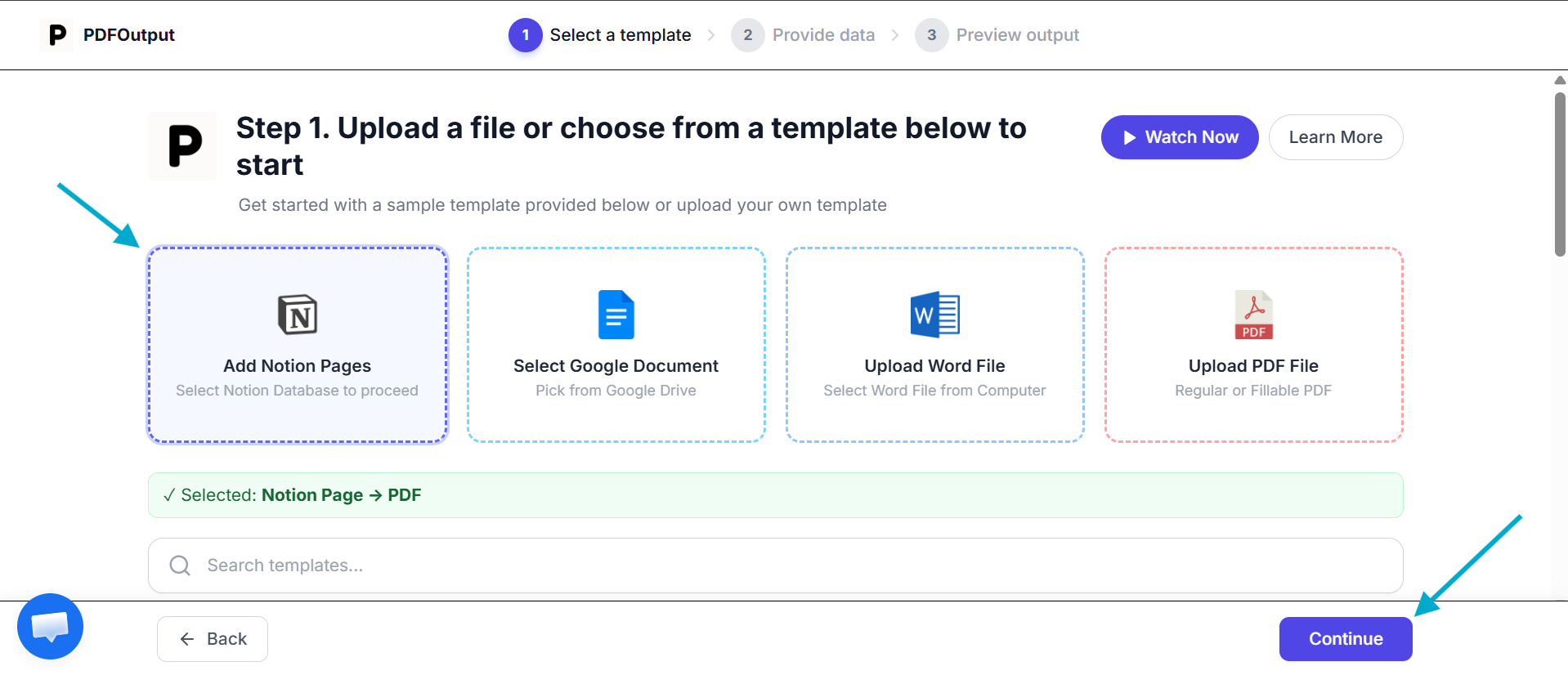
Click Add Notion Pages, then Continue.
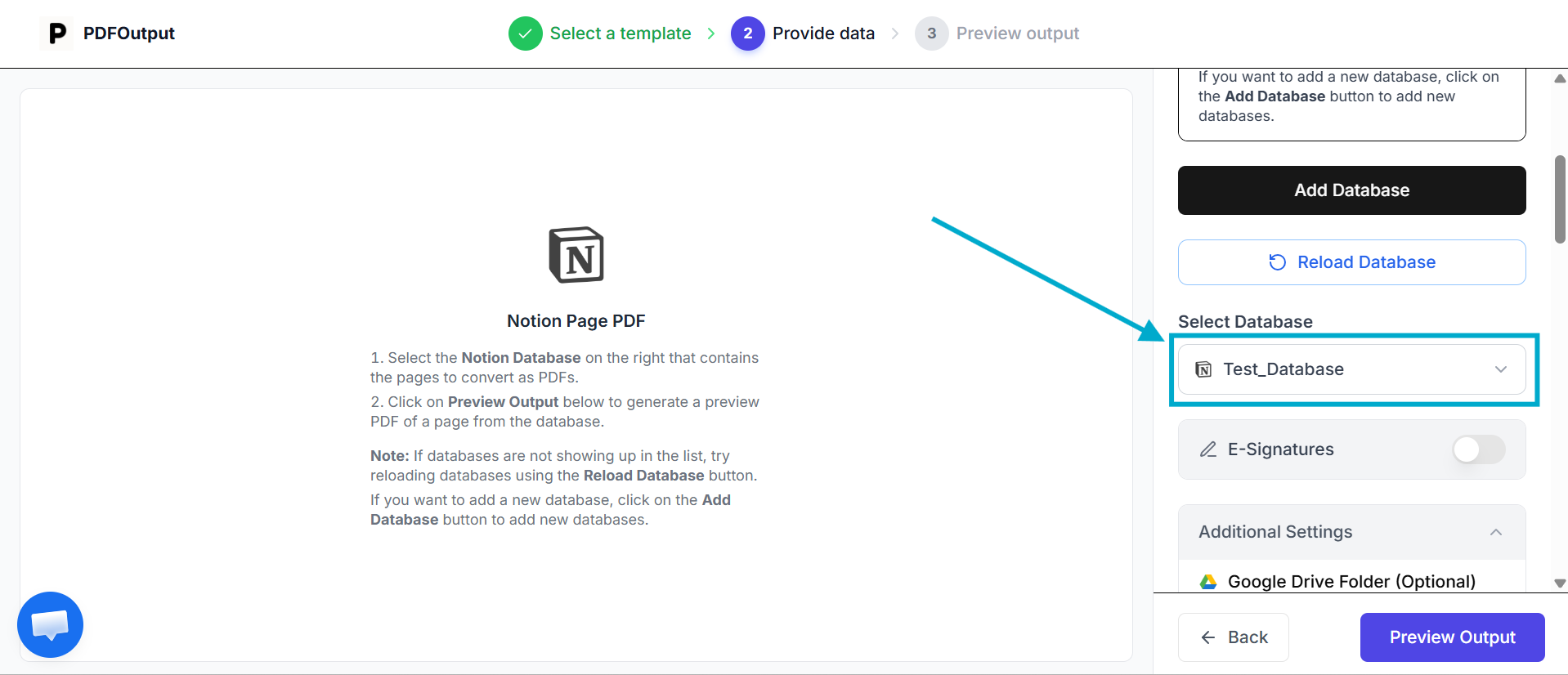
Select your database (Test_Database, in this case) from the dropdown list.
A couple of things matter here:
.png)
- As freeform notes or documentation — for content that doesn't need field-based substitution.
.png)
Using Placeholders in Templates
For template-style pages, PDFOutput looks for placeholders written as {{Field Name}}. These get replaced with the corresponding value from your database when the PDF is generated.
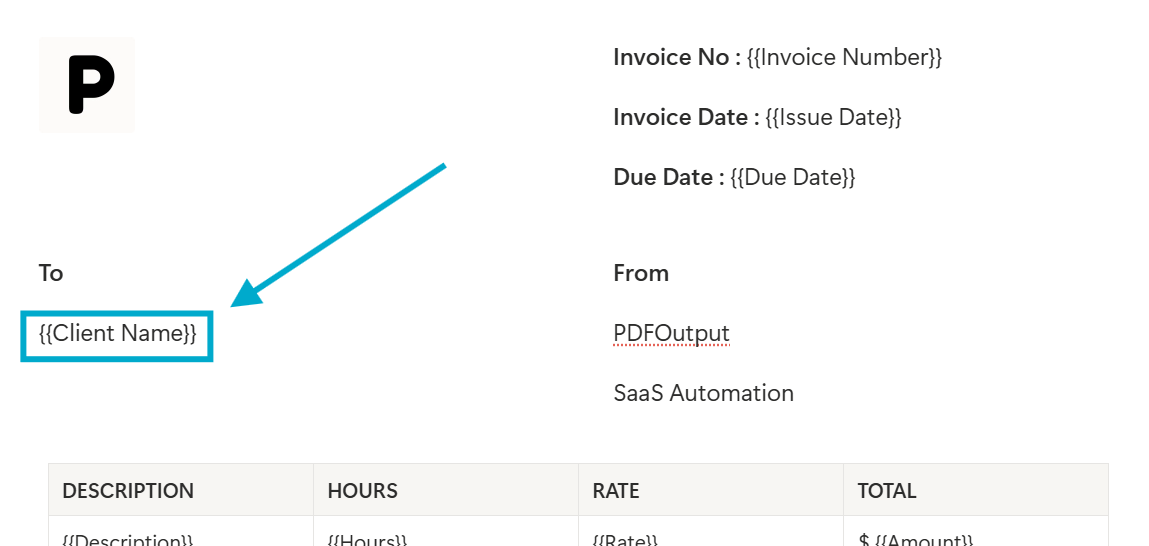
Example: If your database has a field called Client Name, and your Notion page contains {{Client Name}} somewhere in the text, that placeholder gets swapped out with the actual value from that record — e.g., {{Client Name}} becomes Alex Johnson.
The placeholder is replaced by looking up the matching value in the Notion database.
This works for any type of database property — text, numbers, dates, select fields, or even relation and rollup properties.
If you're using more complex field types like relations or rollups, make sure to also connect the relational database being used before generating the PDF.
Once the relational databases are connected, export one record as a PDF first before running the automation on the full database.
Here's an example of how this works together:
Consider an invoice template with the fields {{Client Name}}, {{Issue Date}}, and {{Total Amount}} placed in the page body.
Once your database has those three fields filled in for a given record, generating the PDF for that record produces a finished invoice — without any manual editing required.
Click Preview Output to see a preview of the PDF that will be generated for that Notion page.
.png)
Here's a sample preview of the document:
.png)
Using Freeform Text in Templates
For this, we'll use normal freeform text on the page without specifying any placeholders.
.png)
Click Preview Output to see the preview of the document generated as a PDF.
Here's a sample preview of the document:
.png)
4. Set Up the Automation
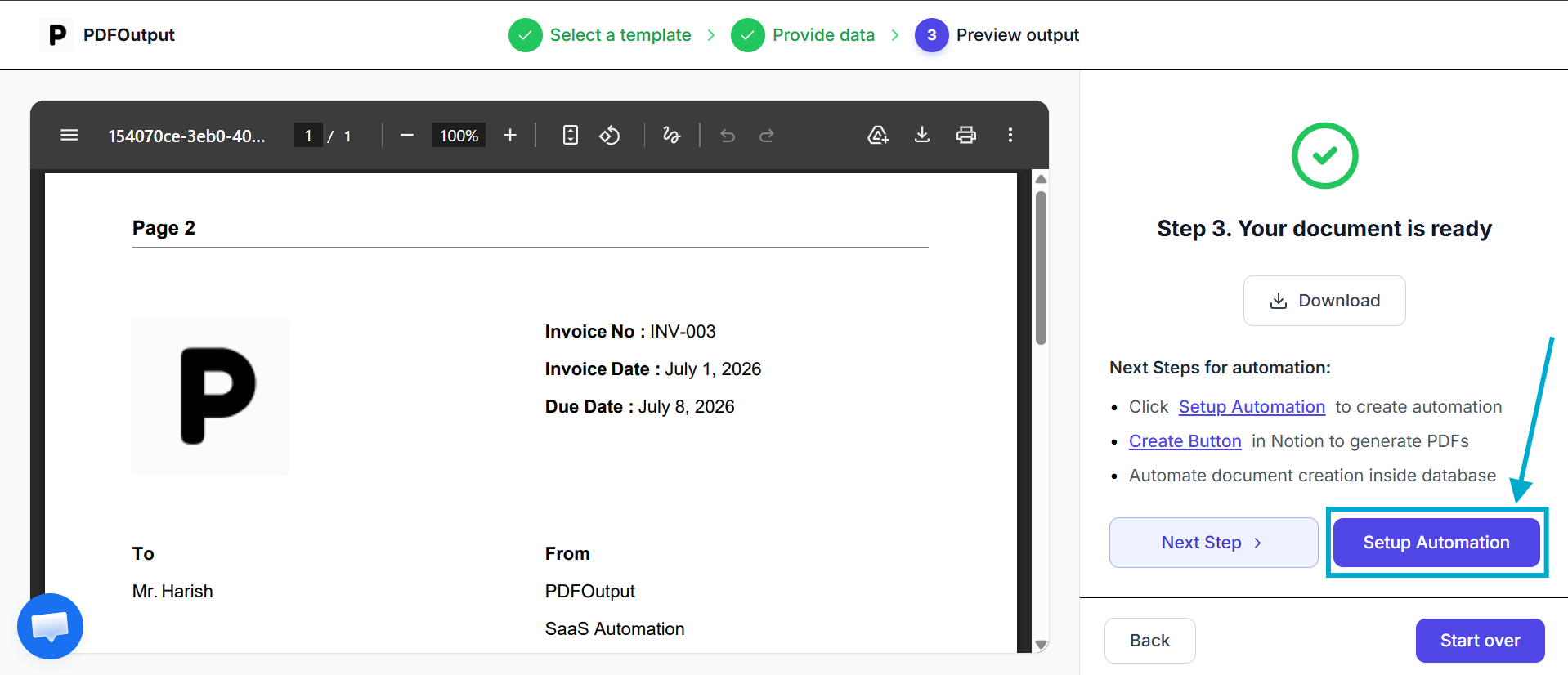
Once you've previewed the output and it looks right, click Setup Automation. If it doesn't look right, go back, edit the page, and preview it again.
Clicking Setup Automation activates the automation, which now generates PDFs continuously from your Notion database going forward — no need to repeat these steps for every new record added.
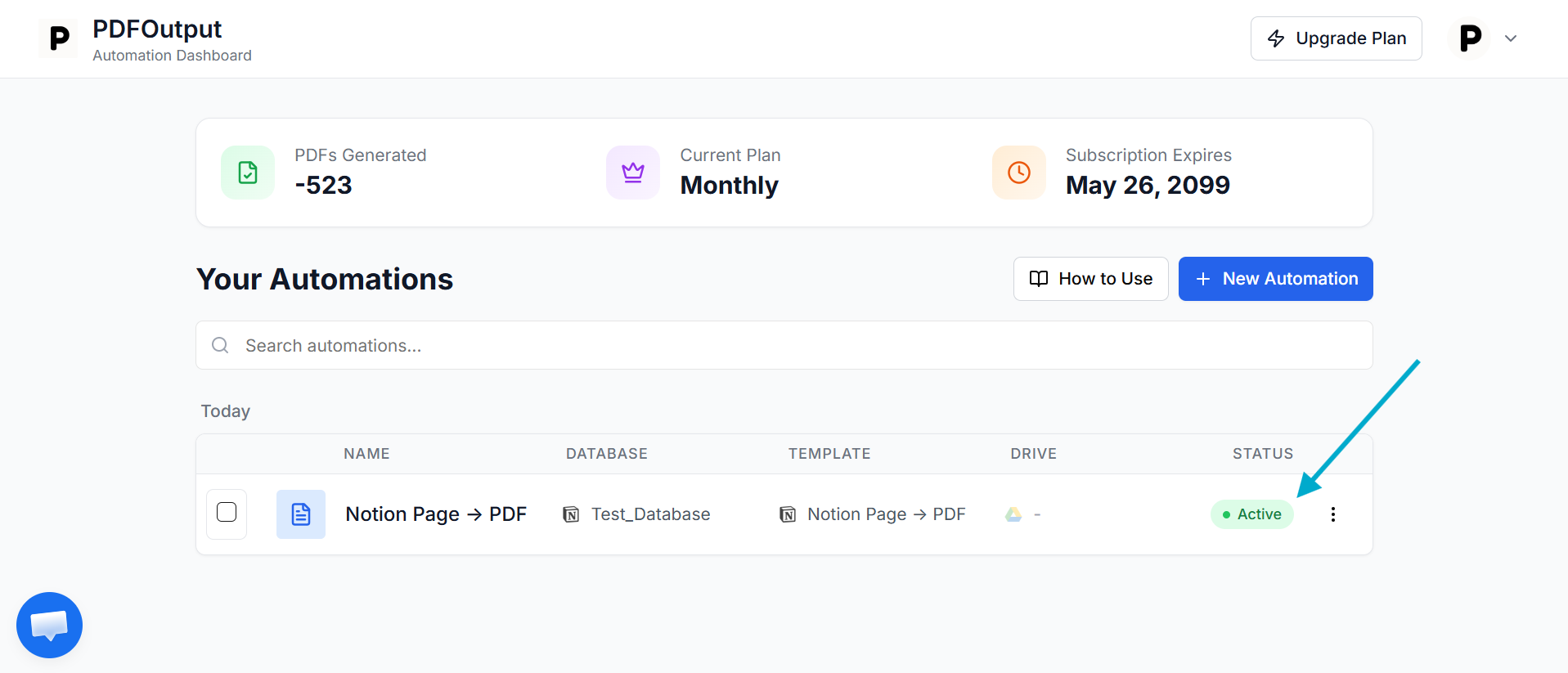
Once the automation is activated, you'll see an Active status marked against it in the dashboard.
5. Generate PDFs from Your Notion Database
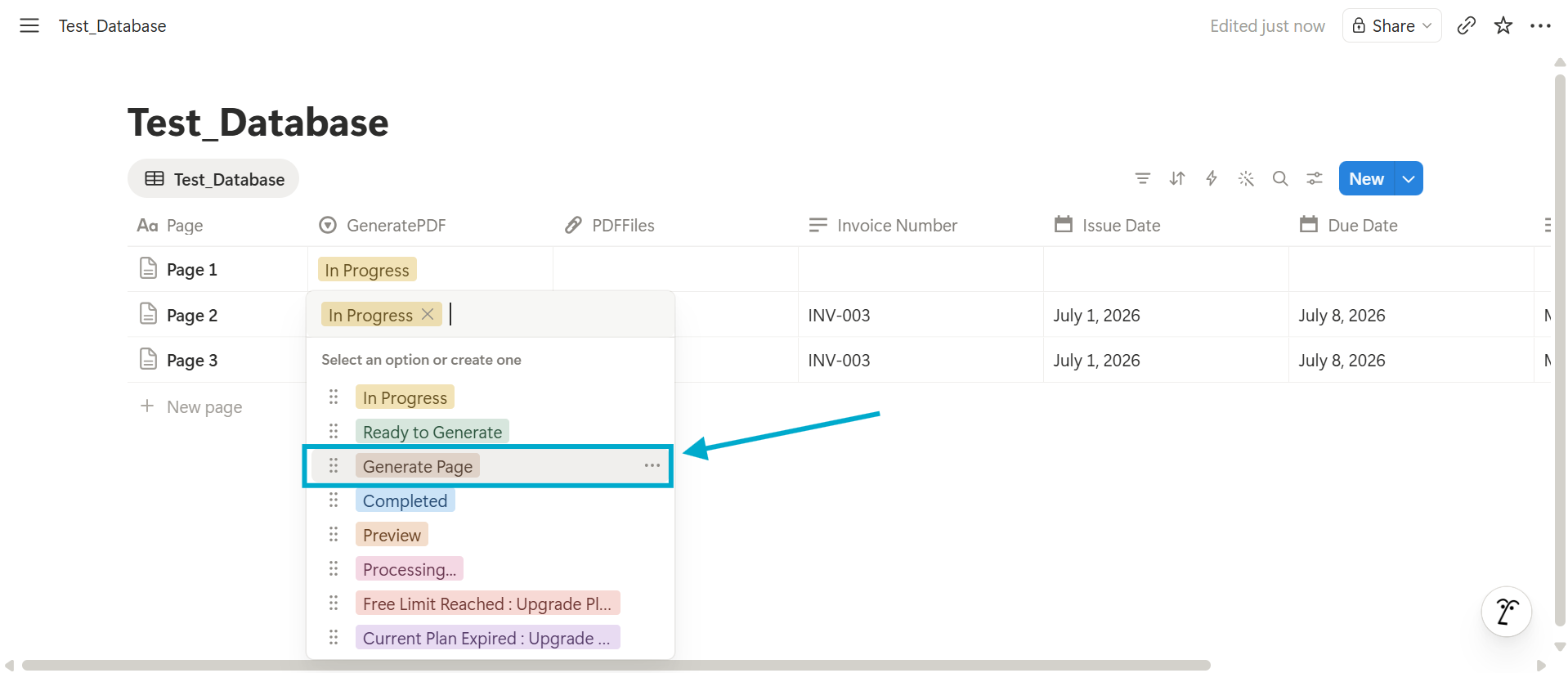
With the automation active and live, generating a PDF is simple:
PDFOutput pulls the content from that Notion page and generates the PDF automatically.
If you're on a paid Notion plan, you can also trigger generation directly using a button inside the database itself.
From here, the workflow scales naturally:
Tips to Use PDFOutput
A few things that can help you avoid formatting issues before they arise:
Common Issues with PDFOutput
1. PDF isn't generating for a record
Usually this means the Notion page is empty, or the record hasn't been marked "Generate Page." Double-check that the page has content and that the automation status shows as active in the PDFOutput dashboard.
This can also be caused by unsupported block types. Test with simple block types first before using more complex ones.
2. Placeholder isn't being replaced
This is almost always a naming mismatch, and it's a common issue.
The placeholder text needs to match the database field name exactly, including spelling and capitalization. Check for extra spaces inside the {{ }} brackets too.
Example: If the database field is Invoice_Number but the placeholder used is {{invoice_no}}, it won't get replaced, since the field name and the placeholder don't match.
3. Formatting looks off in the output
Go back to the source Notion page and simplify the layout — nested blocks, nested tables, and nested toggles are the most common culprits. Flattening the structure usually resolves it.
4. Automation shows as inactive
This can happen if Notion access was revoked or the database connection was changed after setup in PDFOutput. Reconnecting the database under your automation settings fixes the issue.
5. Generating PDFs seems slow or delayed
Generation speed can vary depending on your plan and the volume of records being processed at once. If you're generating PDFs in bulk, expect some queuing time as records are processed one by one.
Also, generating a PDF using a button produces the file promptly, but changing a record and marking it "Generate Page" will take a little longer to process.
FAQ
1. Can I customize how the PDF looks?
Yes — the design comes from your Notion page itself, so anything you format in Notion (headings, spacing, images) carries over to the PDF.
2. Does this work with Notion's free plan?
The core automation works regardless of your Notion plan. However, if you want to use the button to generate PDFs, you'll need to be on a paid Notion plan.
3. Can I generate PDFs in bulk?
Yes — once the automation is active, head over to the PDFOutput dashboard, click the 3-dot menu for the automation, and select Batch PDFs. This produces PDFs in batches of 100 records at a time.
4. What happens if I update a database field after the PDF is generated?
The existing PDF won't update automatically. You'll need to regenerate the PDF for that record to reflect the new values.
If you're inside the PDFOutput automation page, click Reload Database to pull in the new values, then regenerate the PDFs.
Conclusion
Manually exporting Notion pages to PDF works fine for a one-off document, but it falls apart fast once you're generating the same type of document repeatedly.
Setting up an automation in PDFOutput turns that repetitive, error-prone process into something that runs in the background — with consistent formatting, every time, pulled directly from your Notion database.
If you're regularly turning Notion pages into invoices, contracts, or reports, this is the kind of automation setup that pays for itself after the first few documents.