Guides
Differences between Notion Pages, Notion Databases and Templates
Understand the core differences between Notion Pages, Notion Databases and Notion Templates — learn what each one is, when to use them, and how they work together in your Notion workspace.
By Sanat Biswal · 2026-08-02 · 8 min read

Beginners often find it confusing to understand the difference between Notion Pages, Notion Databases and Templates for use.
Although these 3 terms are quite often interchangeably used at times but they are not the same and today we are going to look at the core differences between each and understand how to use Notion Page or Notion Database or Notion Template properly wherever its needed.
Let's get started…
What is a Notion Page?
Simply put a Notion Page is the page that holds all the other Notion blocks in it. It is like a blank canvas, where you can design and edit the content in blocks.
Everything that you design in a page is in the form of Blocks such as Text, Images, Database etc. Pages can even contain more pages inside of it which are called nested sub-pages.
How to create a new page?
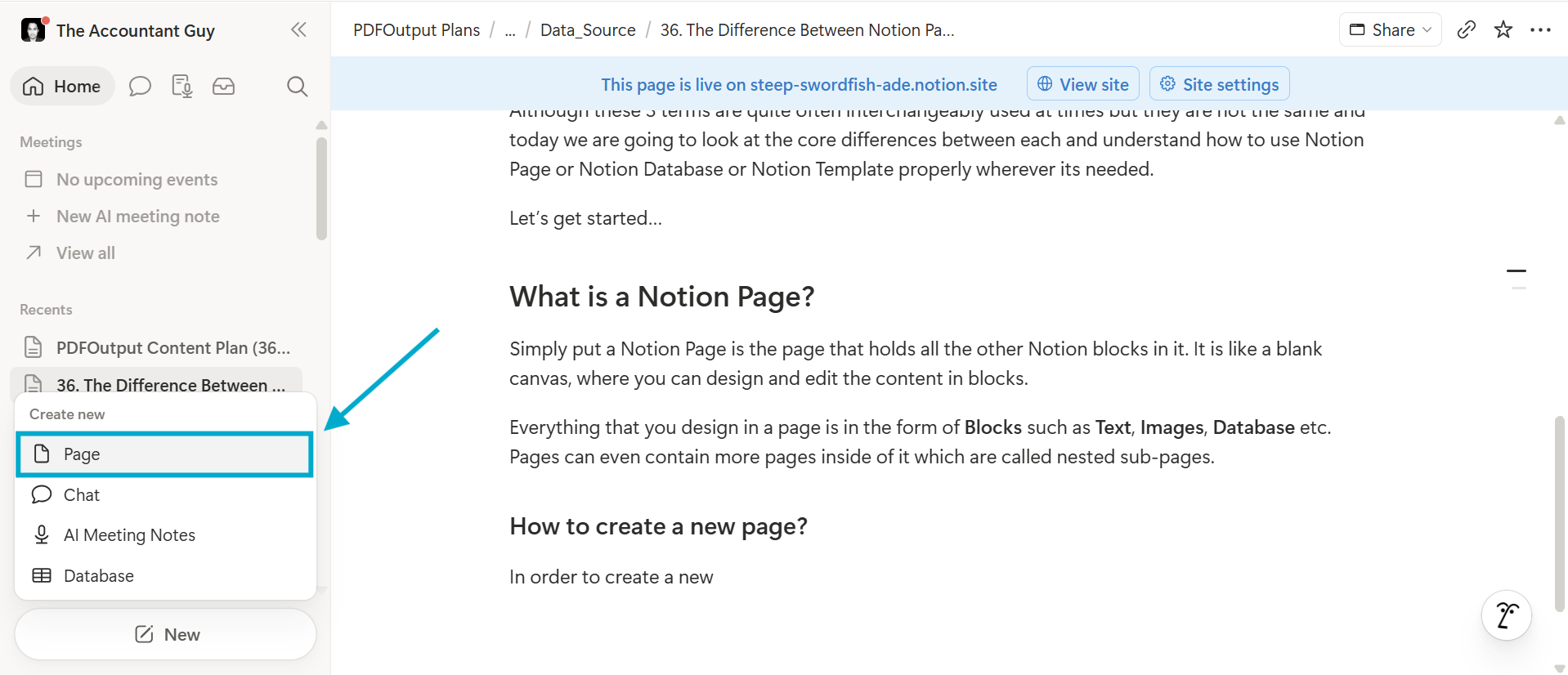
In order to create a new page, navigate to the sidebar on the left and click on New and then click on Page.
It will create a new blank page.
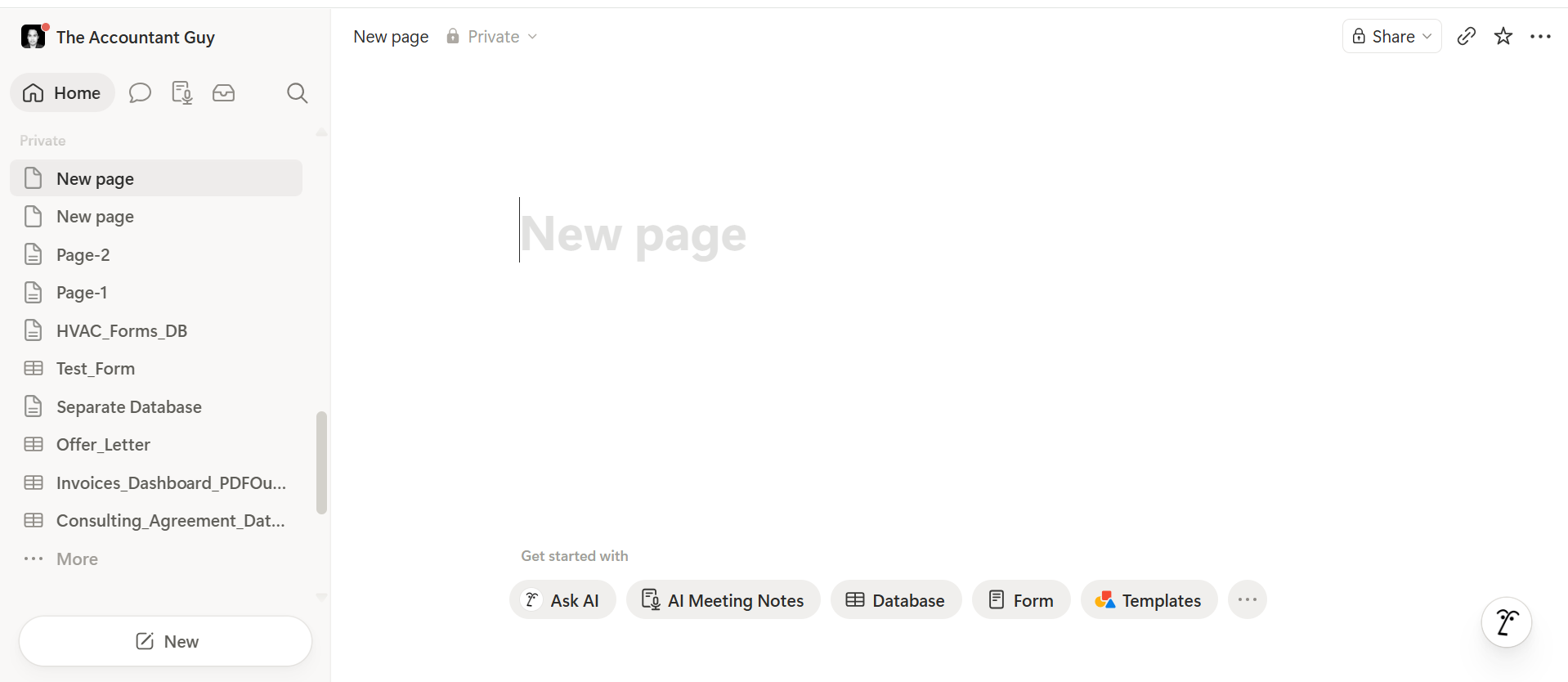
Once the new page is created you can add a page Title and then add content below to the page added.
What is a Notion Database?
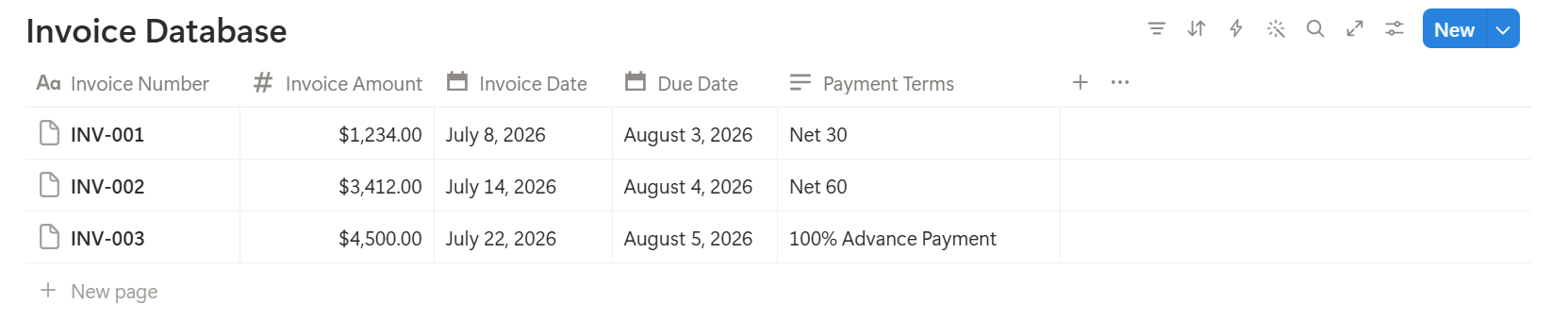
A Notion Database is nothing but a spreadsheet with its properties that is nothing but a collection of pages added into it.
A database can be viewed as a Table, a Calendar, a Board, a List, a Gallery etc.
When we add content into the database it can be combined with other databases through use of Relation and Rollup to help fetch information from interconnected databases being connected with each other.
Some of the best use cases of a Notion Database includes a CRM, a project tracker being used or a Content Calendar that defines the content to be produced in due course of time.
Related Reading : How to export Notion Database Entries to PDFs using Google Docs
What is a Notion Template?
A notion template is nothing but a pre-built defined structure in the form of a page or a database which can be duplicated directly onto the notion workspace by the user directly.
When a template is duplicated onto the workspace, it carries over all the blocks of the original template onto the user's workspace directly.
This helps the user save time as the user doesn't have to build the defined structure once again from scratch including all the relevant blocks that have been added earlier onto the template.
How to find Notion Templates?
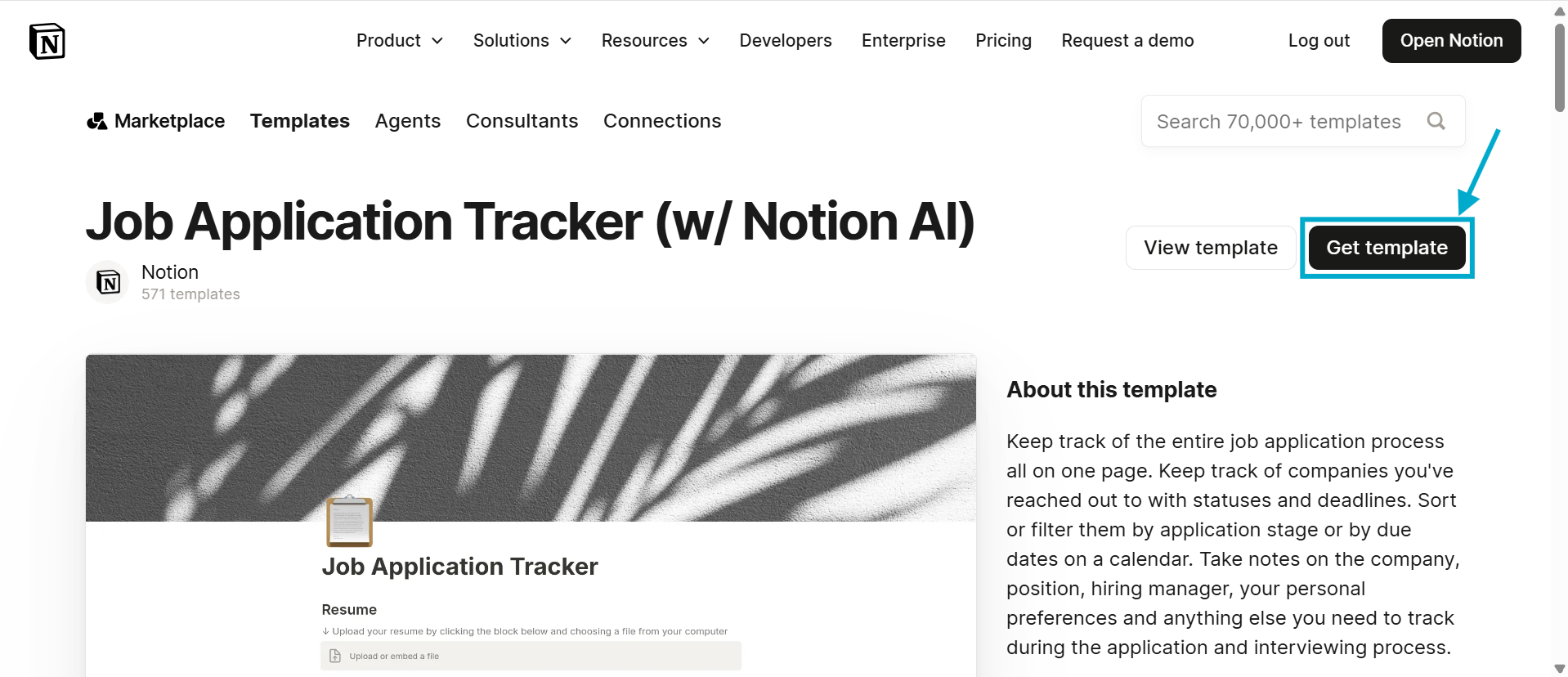
In order to find the notion templates, a user can navigate to the Notion Template Gallery directly to find all the available templates for use.
There are a lot of free templates and paid templates available which can be used.
Click Here to check upon the templates that I had added earlier for use which includes many Personal Finance templates and other Business Operating templates.
Some of the best use cases typically includes Meeting Notes, Onboarding Checklists and Planners that users can directly duplicate onto their workspace and use as well.
Differences between Notion Page, Notion Database and Templates
Here are the key differences between Notion Page, Notion Database and Notion Templates:
| Aspect | Notion Page | Notion Database | Notion Templates |
|---|---|---|---|
| What it is | A single blank canvas that allows users to add content | A structured collection of pages (rows) added with database properties | A reusable, pre-built page or database that can be duplicated with existing content |
| Structure | A notion page is like a free style editor which has blocks stacked in any order | A database contain rows (pages) and columns (properties) structured together. | Get the structure of whatever it's copied from |
| Can contain | Text, images, to-dos, embeds, sub-pages and other block types | Multiple pages with each pages having own content and properties | Placeholder content based, with pre-set properties, and saved formatting |
| Views available | No view available just one layout available | Table, Board, Calendar, List, Gallery, Timeline | Same views as its underlying page/database |
| Scalability | Low — gets messy with lots of content | High — built for filtering, sorting, and growth | N/A — depends on what's being templated |
| Editable per entry | N/A (it's one single document) | Yes — each row is its own page with unique content | Yes, after duplicating — becomes your own editable copy |
| Best for | Notes, one-off docs, simple wikis | CRM, task tracking, content calendars, structured data | Recurring workflows — meeting notes, onboarding, weekly reviews |
| Example | Company Handbook page | Clients database with Name, Status, Revenue columns | Weekly Meeting Notes template duplicated every Monday |
| Analogy | Can be compared to a single Word document | Can be compared to an Excel spreadsheet, but each row opens into its own page | A word file or a database or a page with a database combined together in any format that's required |
How do Notion Pages, Notion Databases and Notion Templates Work Together
While a template is a pre-defined version of a Notion Page and a Notion Database combined into one structure it can be directly replicated for use into a notion workspace.
On the other hand, a Notion Database is a combination of the notion pages that are added to define the structure which would keep the content intact.
As such all the things have their own place with respect to how everything operates in sync within the Notion workspace.
Common Beginner Mistakes People Make While Using Notion
Here are some of the common beginner mistakes people make while using Notion:
- Using a Notion Page instead of using a Notion Database which can help keep everything better organized.
- Adding more then required database properties into a Notion Page beyond what is necessary and required.
- Not using the inbuilt default templates that are available for use, but rather adding the same template again and again while creating a new page in the notion database each time.
Eg : Lets say you are a freelancer looking to add client projects details, if you add this in a Notion Page you will keep adding the information inside the Notion Page one below the other such as Client A → Project A → Status : In Progress → Deadline : Aug 15, Client B → Project B → Status : In Progress → Deadline : Sep 21 etc.
Now when you add more client details onto the same page it gets clumsy and cluttered after a while without a mechanism to sort or filter the data at all.
In this case using a Database which can store the details for the Client, Projects, Status and Deadline can help keep everything organized and structured for the user which will not be difficult to scan and look into.
Conclusion
Pages are where you write and organize your content freely to be edited inside a canvas.
Databases are where you store structured data, repeatable form of information, while turning that content into something you can filter, sort, and view in multiple ways.
And templates are pre-built pages or databases that can be duplicated and reused, so you're never starting from a blank canvas.